
Your Cart is Empty


Smart Storage for Hybrid Teams
Tired of Locker Drama? Say Goodbye to Key Chaos With Smarter Storage That Just Works.
Today’s offices are becoming more hybrid work oriented which means traditional, fixed desks are out. Introducing lockers – playing a vital role they help create a clean but personalised work environment.
Incorporating lockers into the office, teams can store their personalised items, like pictures, notepads, or favourite mugs safely.
By storing things, desks will remain clear and easier to clean, supporting a clutter-free environment.
Lockers provide peace of mind for workers making a big impact on employee satisfaction and comfort, but also making a professional image for your office.
Public Use Lockers
Smart, Flexible Storage for Dynamic Teams
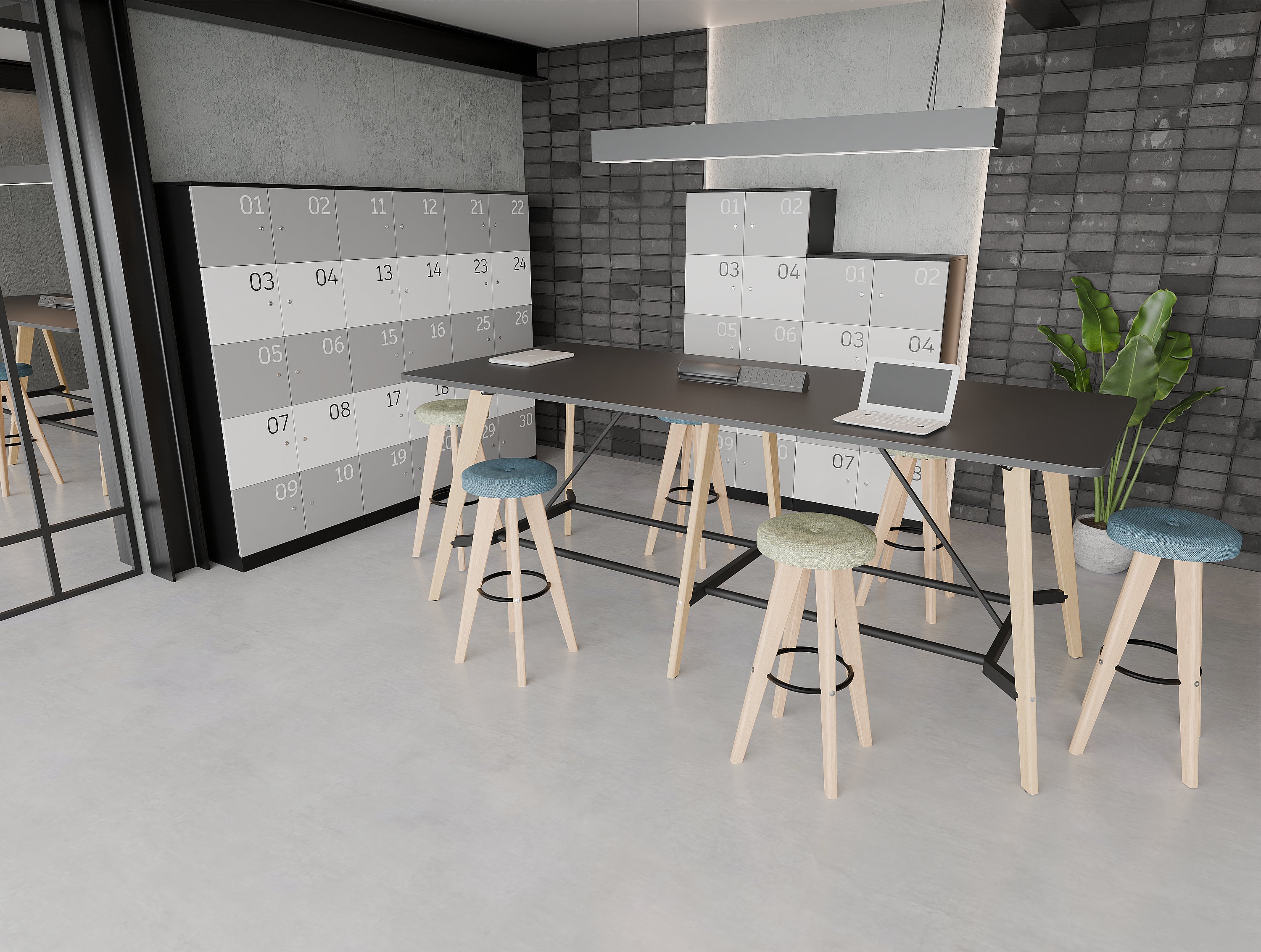
Public (Shared Use) lockers are ideal for hybrid and agile workplaces where employees don’t have fixed desks. These lockers allow users to temporarily store their belongings with a one-time credential. Once the locker is opened, it resets making it instantly ready for the next person.
This system supports seamless, flexible use across shifts or rotating teams, ensuring a clutter-free environment while promoting fairness and accessibility. Perfect for high-traffic offices or co-working spaces where efficient turnover and personal security are key.
Private Use Lockers
Consistent, Personal Storage for Regular Users
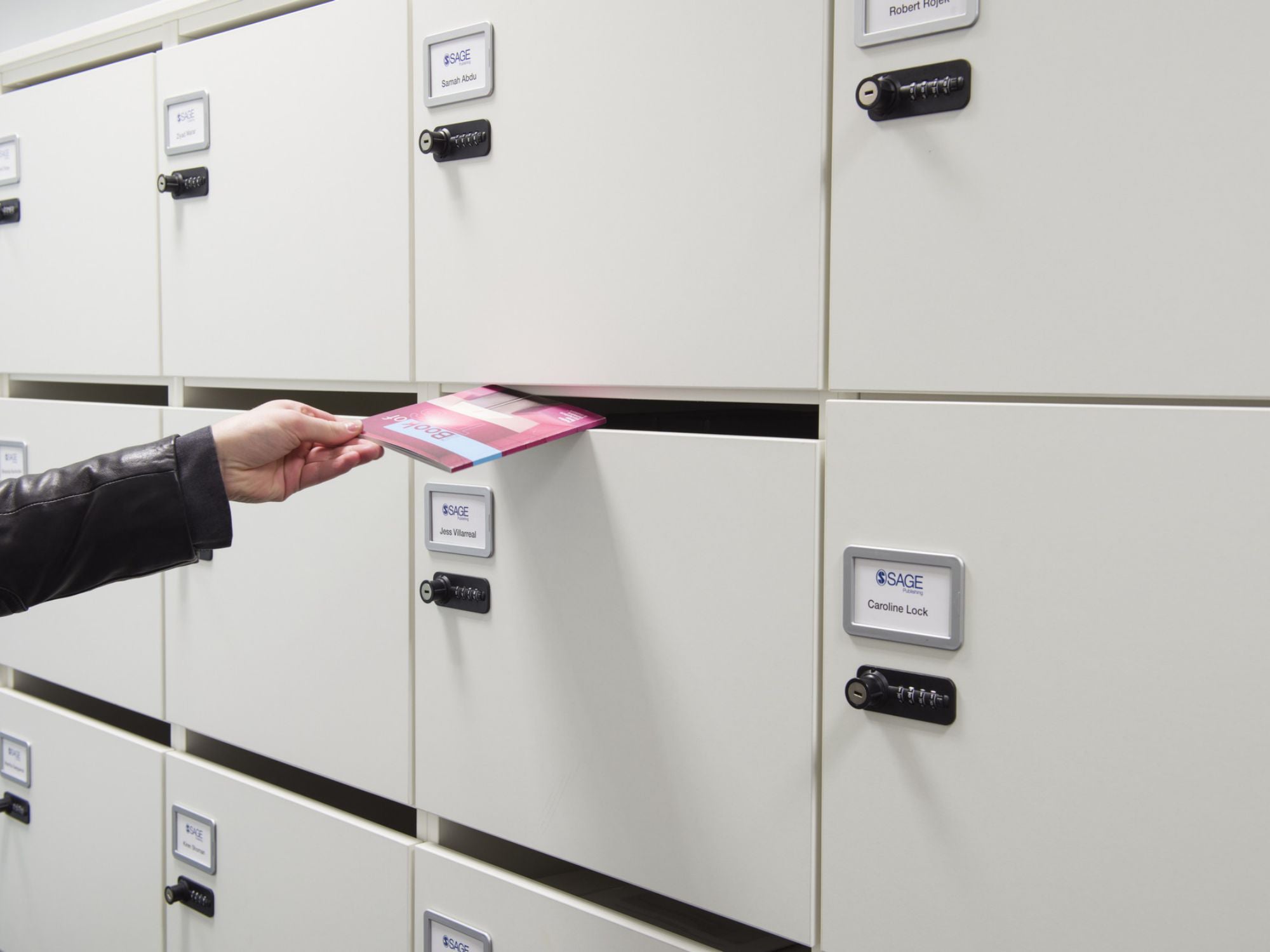
Private (Assigned Use) lockers are designed for individuals who require ongoing access to the same locker. Once assigned, the locker retains the user's credential for repeated use offering secure, personalised storage day after day.
This system is ideal for employees with regular office presence or permanent desks. It fosters a sense of ownership, boosts organisation, and keeps personal items safe and out of sight. When no longer in use, lockers can be easily reassigned, supporting long-term operational flexibility.
Lock Systems
Standard Barrel
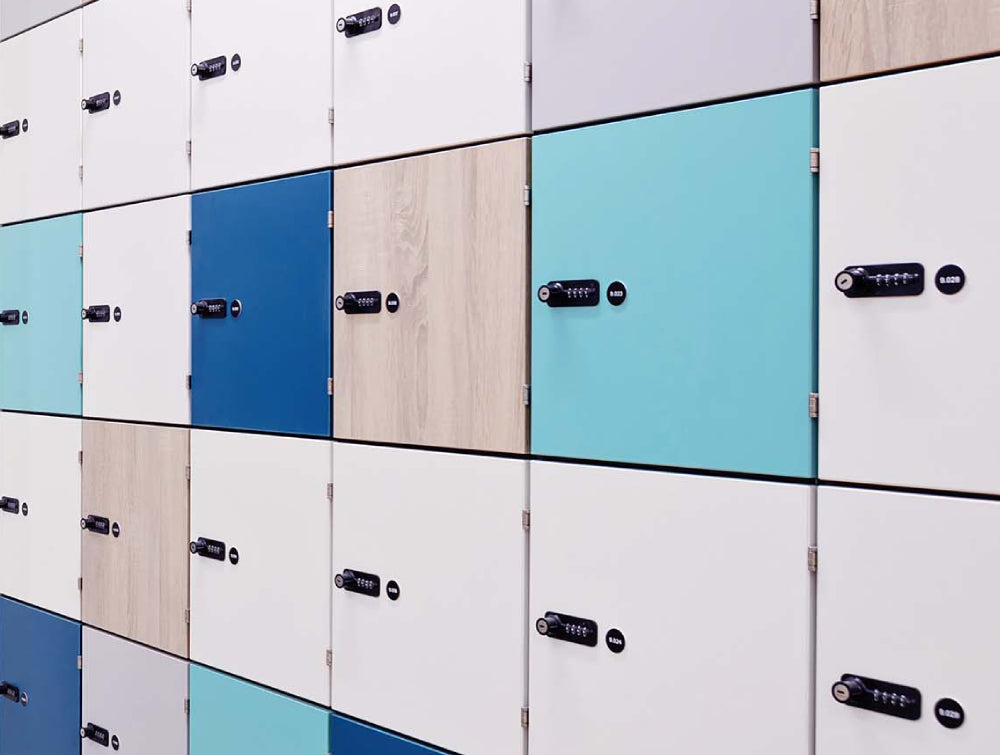
Simple yet efficient. Lock comes with a simple barrel that uses only a key.
Combination - Type 1
Whether you cannot decide if you are the key person or number person, this option allows you to be both.
Combination - Type 2
Sleek but practical. Having all the features from the previous mode, this one also offers a more polished design.
Keypad & Phone App
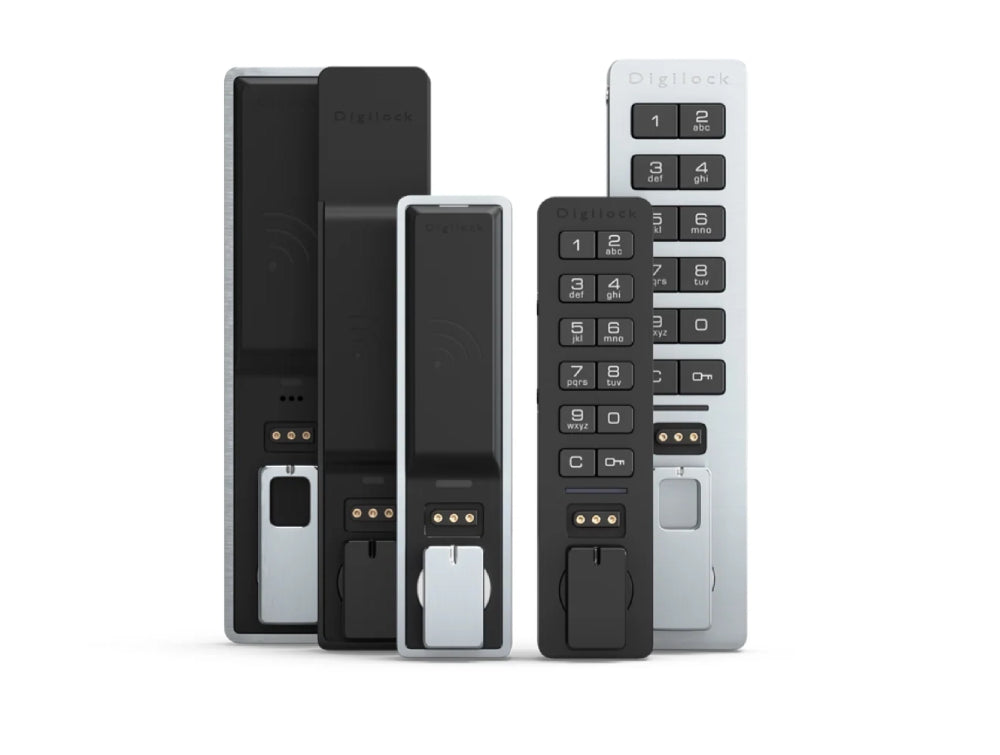
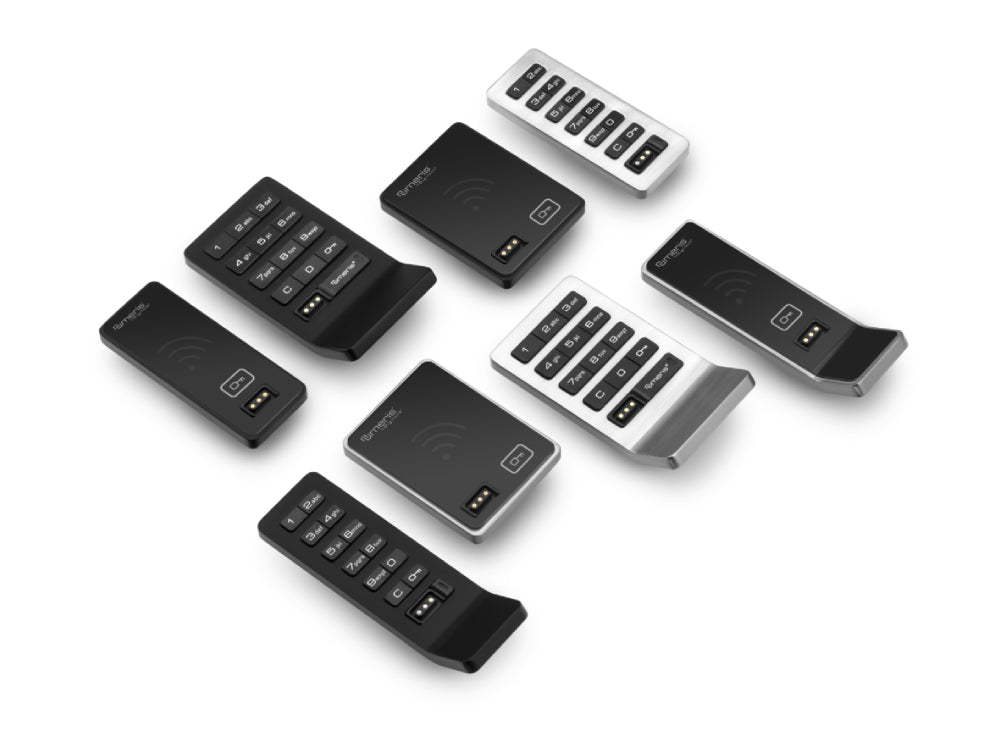
Versatile-secure-keyless. Smart lock can be opened using either a digit code on the keypad or a Phone App. It’s a wireless, battery-powered system that’s easy to install and use.
RFID & Phone App
Futuristic design. Lock blends modern design with advanced functionality, offering seamless RFID and smartphone access.
Keypad & Phone App
Quick security. Delivers secure, keyless access through both keypad and smartphone control.
RFID & Phone App
Simply modern. Lock offers RFID and mobile app control.
Compact RFID & Phone App
Compact and minimalist. Compact locks offer seamless RFID and mobile app access in a discreet, circular design.
Locks Management
 Basic Management
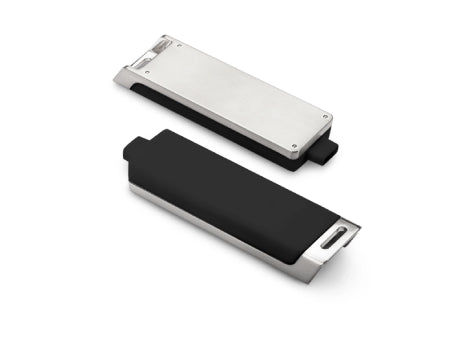
Flexible Digital Access with Manager Control
A sleek, electronic access system built for shared spaces. Assign up to 6 managers and 20 users per lock, ensuring clear control without complexity. With override access and the option to power externally during battery failure (not supported on compact surface models), it’s ideal for agile workplaces needing secure, adaptable storage.
 Advanced Management

High-Capacity Access & Activity Insights
For larger teams or high-traffic zones, this smart credential system supports 250 users and 250 admin profiles per lock. Easily track usage, view battery status, and access real-time audit data through an intuitive tablet interface. Designed to give managers a clear view and total control.
 Networked Management
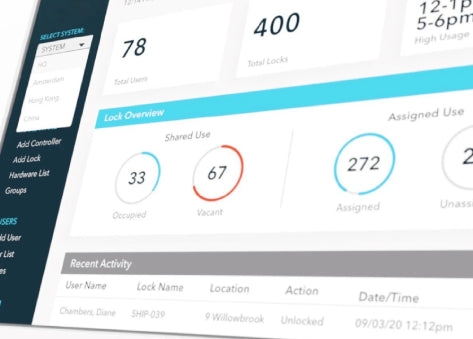
Cloud-Based Control for Smarter Locker Management
Manage every lock, user, and access point from anywhere in the world with this powerful, cloud-native platform. Built for scale and security, it gives you real-time control, instant credential updates, and deep visibility across your system all through a customisable dashboard.
- Remote access & user management
- Live audit logs & usage analytics
- Enterprise-grade security certifications (SOC 2 Type II, ISO 27001 & 27701)
Stay connected, secure, and in control 24/7.
Smart Locker Use Cases
Lockers have come a long way from their school-day origins to becoming sophisticated and tech-enabled solutions across multiple industries. Not only being used for storage, but to support mobility, privacy, personalisation and belongings in modern coworking spaces, hybrid offices, universities and more.
Today's locker system offers smart access controls, such as biometrics, mobile apps and RFID keys. Tailored by size, layout and design to fit out any organisational need and aesthetic preference. Can also be used as space dividers, adding to visual appeal and even integrating seating nooks or planters into lockers.
Different worker types benefit uniquely:
- Destination workers (visiting occasionally) need secure storage for coats or luggage.
- Anchored workers (frequent users) need easy-access lockers near their desks.
- Untethered workers (hybrid staff) value safe, reliable storage between office visits.
Incorporating lockers into coworking space, hybrid offices, and universities, enhances user experience and supports a flexible model of working whilst contributing to efficient space management. Smart lockers can eliminate up to 94% of the administrative time associated with locker management, allowing managers to focus on more strategic activities. By adopting on-demand locker usage, workplaces can reduce the number of lockers required by 30–50%, leading to significant cost savings and more efficient use of office space.


I’m interested in keyless lockers, what options should I be looking at?
Great question. Most modern lockers offer either PIN-based entry via a digital keypad or contactless access using RFID cards or fobs. Your choice depends on how your users prefer to interact — keypads offer simplicity, while RFID speeds up access.
Can different people use the same locker throughout the day?
Yes — look for locks with a shared use function. These keep lockers open until someone decides to use one, then they simply lock it with a code or RFID tap. Once they unlock and vacate it, the locker resets, ready for the next person.
What if I want the locker to belong to just one person?
Then you’ll want a system that supports assigned use. This mode lets you pre-approve specific users so only they can access the locker — perfect for personal storage or long-term allocation.
I have a large team. Can I add lots of users to one lock?
That depends on the lock model — some support a handful of users, while others can handle dozens or even hundreds. Advanced systems let you manage large user lists via software or a tablet interface.
Do these locks need to be plugged in?
No need to run cables — most electronic locks run on batteries, making installation clean and straightforward. Just make sure to check battery life periodically.
What kind of batteries do these locks use?
Most models run on standard alkaline batteries — the kind you’d use for a TV remote. Stick to quality brands and avoid mixing old and new batteries to keep things running smoothly.
Can I unlock a unit if someone forgets their code or loses their card?
Yes — systems usually have an override feature for managers or administrators. This gives you emergency access without disrupting the lock’s core settings.
Can I get everything set up before lockers are delivered?
In most cases, it’s best to program locks on-site. That way, you can tailor them to specific locations or users, and assign manager access based on floors, departments, or zones.
Can I set lockers to open automatically if someone forgets to clear them?
Yes — some systems allow you to auto-unlock lockers after a set time. This is ideal for shared-use setups where you want to keep usage flowing without manual intervention.
What if the battery dies while the locker is still locked?
Don’t worry — many smart locks include a way to provide temporary power access, either through a manager key or a backup method, so you can unlock the unit and swap out the batteries.
Get In Touch
Do you have a fit out project to discuss?
Please get in touch with us.
SEARCH